Integration Details
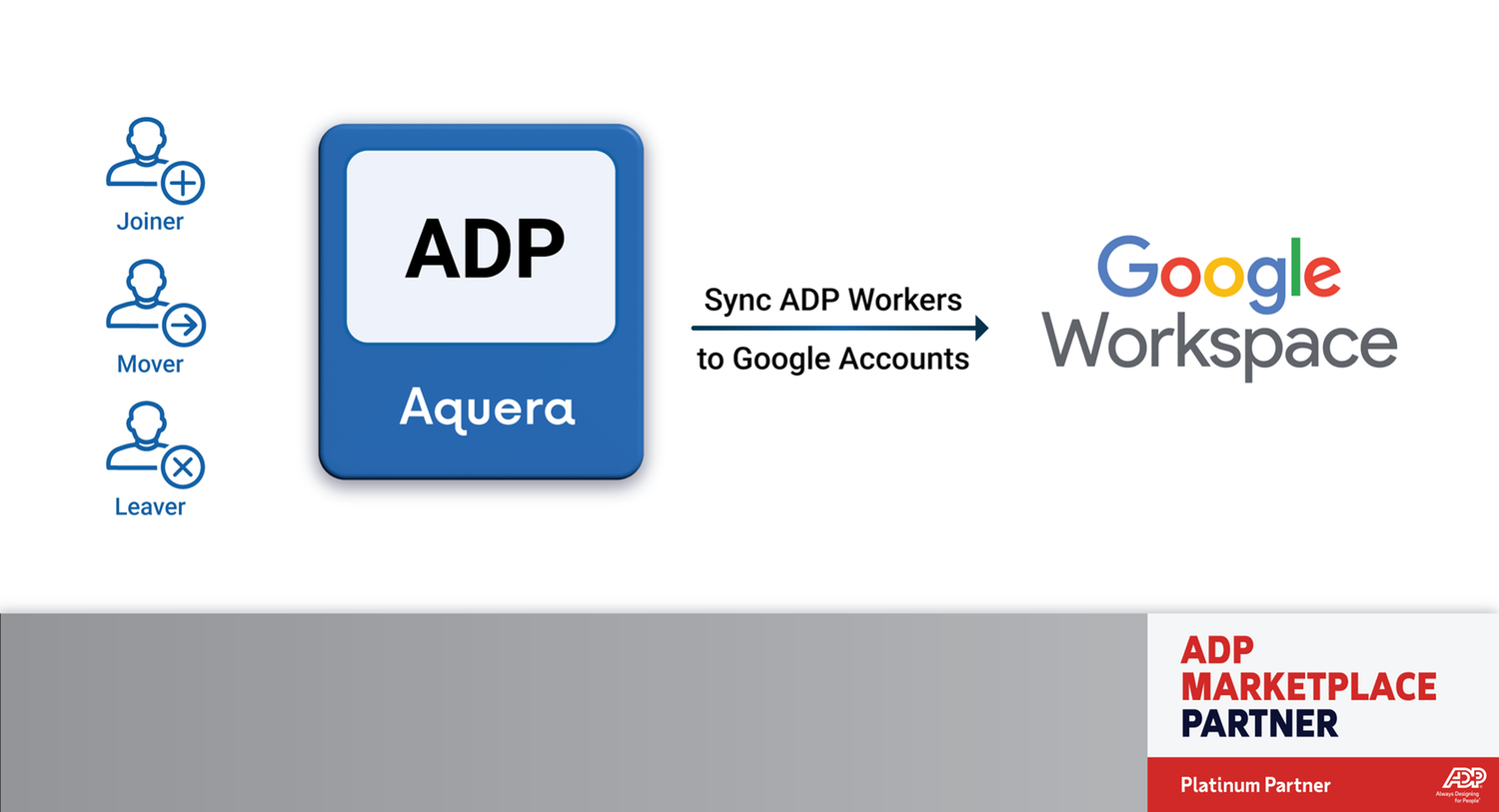
Aquera’s Google Workspace User Sync for ADP ensures that user accounts in Google Workspace are automatically created, updated, and deactivated based on employee information in ADP — eliminating manual work, reducing errors, and keeping your workforce data always in sync.
The solution automatically matches employees using existing employee numbers in ADP and Google Workspace, ensuring a seamless correlation between systems with no manual mapping required. A built-in audit report provides a clear summary of each sync run, with detailed backup tabs for full visibility, troubleshooting, and compliance review.
ADP Applications Integrated
- ADP Workforce Now® (current version)
ADP TotalSource®
Integration Type
- 1. Read data from ADP
2. Buy Now
Application Type
- Data Connector
Data Sync Frequency
- Daily full sync with hourly incremental sync or executed on-demand
Data Fields
- The following data fields will be read by Google Workspace:
- Work Email
- Legal First Name
- Legal Last Name
- Work Phone
- Work Mobile
- Home Phone
- Personal Email
- Address Line(s)
- City
- State/Territory
- Postal Code
- Country
- Associate ID
- Job Title
- Home Department
- Home Cost Number
- Reports To
- Suspended
Commitment to Responsible AI
Together with ADP Marketplace, our company is committed to the responsible use of AI. When incorporating AI into our product(s), we have agreed to comply with ADP Marketplace’s AI principles focused on human oversight, monitoring, privacy, explainability, transparency, and mitigating bias. Learn more here.
How We Use AI
- Aquera offers artificial intelligence and machine learning-based features within the platform to help enhance efficiency for system administrators and to automatically test for anomalies/inconsistencies in the integrated data.
Aquera’s generative AI features streamline the configuration of integrations between ADP and other applications by automating the generation of data transformation mappings and logic. Administrators then review and complete the configuration to test and deploy integrations.
Additionally, Aquera's AI-powered anomaly detection helps identify inconsistencies in group and container assignments within your directory, enabling administrators to manage group membership more effectively and maintain a least-privilege access model.
These AI features can be enabled for specific administrators of the Aquera Tenant, and usage is entirely optional.
If you have questions about how Aquera uses AI, please contact us.
Integration Overview
Aquera’s Google Workspace User Sync for ADP automatically keeps your employee accounts synchronized between ADP Workforce Now and Google Workspace. As employees are hired, promoted or leave, Aquera updates or removes their Google Workspace accounts in real time so your systems always match your HR records. With no IT project or complex setup required, it's a simple, secure way to keep your business data aligned and protected. Once installed, the connector runs quietly in the background, maintaining data accuracy and preventing access gaps that can create risk.
Guided Setup
- Aquera includes a self-guided setup that walks you through installation from start to finish. You connect your ADP and Google Workspace accounts using secure authorization links, verify your permissions automatically, and test that everything is communicating properly before the first sync runs. The setup also includes a preview step that shows what changes will occur before anything is applied. Most businesses complete setup in minutes, without technical help or implementation calls.
Automated Lifecycle Sync
- After setup, Aquera continuously monitors ADP Workforce Now for changes such as new hires, job updates, or terminations, and applies them automatically to Google Workspace. When an employee is added in ADP, their Google Workspace account is created instantly with the correct role and organizational unit assignment. If they change roles, their profile and access are updated automatically. When they leave the company, their account is securely disabled to prevent access. Syncs can be scheduled hourly or triggered on demand, ensuring your systems are always current.
Pre-Mapped Attributes
- The solution comes fully preconfigured with all the necessary data fields already mapped between ADP and Google Workspace. You do not need to set up any mapping rules yourself. Key fields such as names, job titles, departments, managers, email addresses, and employee IDs are kept in sync to ensure accuracy.
Aquera also verifies data integrity by cross-checking ADP Workforce Now employee IDs against existing Google Workspace accounts to prevent duplicates or orphaned users. This automatic validation helps maintain clean, secure records across both systems, even as your organization grows or employee details change.
Audit and Reporting
- Each sync automatically produces a timestamped Excel audit report that records every user change with before-and-after details. The report summarizes the sync results and highlights unprocessed users with clear reasons such as invalid emails, duplicate usernames, or license limits. This makes it easy to fix issues and re-run the sync. Reports can be filtered or sorted by success status, action type, or error category for faster troubleshooting.
Administrators also receive automatic email summaries of each sync showing total success and failure counts for easy monitoring. Historical reports are securely retained for full visibility and audit readiness, providing a complete record of every update between ADP and Google Workspace.
Secure and Reliable Operation
- The integration uses secure, encrypted APIs and OAuth 2.0 authentication to protect sensitive information. It operates within Aquera’s SOC 2 Type II and ISO 27001-certified platform, which meets leading privacy and data-protection standards including GDPR, CCPA, and HIPAA. You can pause, resume, or reschedule syncs at any time, while Aquera ensures your Google Workspace environment stays continuously aligned with your ADP records.